
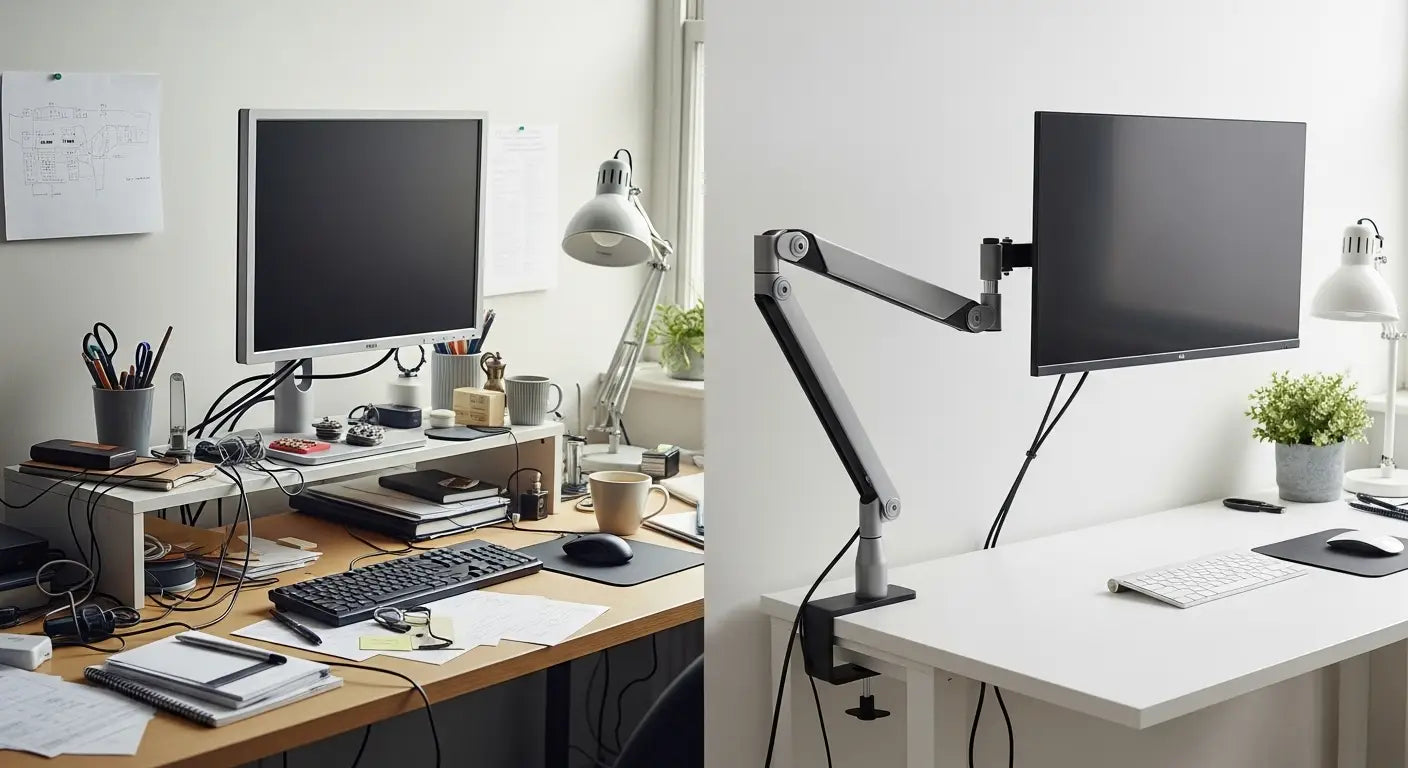
A monitor arm Singapore solution lifts your screen to eye level. This simple change stops neck pain. It frees up desk space. It lets you adjust your monitor whenever you need to. Whether you work from a small HDB flat or build a gaming setup, the right monitor mount makes a real difference to how you feel and work.

Key Takeaways
- Monitor arms beat traditional stands because they move. You get height, tilt, and rotation control.
- VESA compatibility matters. Check if your monitor has VESA holes on the back. Most modern screens do.
- Single arms work for one screen. Dual arms work for two. Heavy-duty arms handle large displays.
- Your desk needs to be 10-60mm thick for standard clamps. Most Singapore furniture fits this range.
- Guilds Altura Stand does more than hold your monitor. It adds USB ports, RGB lights, and storage space.
- Budget arms cost SGD $50-80. Premium options reach SGD $300+. Integrated solutions like Guilds offer more value.
What Is A Monitor Arm And Why Do You Need One?
A monitor arm is a mechanical arm that clamps to your desk and holds your monitor in the air. No fixed stand. Just your screen, suspended and ready to move.
This simple idea changes everything. Your monitor can go up, down, forward, backwards, left, or right. It rotates. It tilts. You have full control. It sounds small. It is not.

Why this matters for you. Your eyes should look straight ahead at your screen. Not down. Not up. Straight. When you look down for hours, your neck hurts. Your shoulders tighten. Your back aches. A monitor arm lets you position your screen at exactly the right height. Pain stops. Focus improves.
In Singapore, desk space is precious. An arm clears the surface underneath your monitor. You gain room for your keyboard, mouse, coffee, books, or photos. Every centimetre counts in a small flat.
Studies show proper screen height cuts neck pain by 35%. Eye strain drops by 40%. You get more done. Your health improves. It is not luxury. It is practical.
Understanding VESA Monitor Arms And Compatibility
Here is where questions start. Not all arms work with all monitors. The answer is VESA.
VESA mounting standards explained
VESA is simply a standard. Video Electronics Standards Association set rules for how mounting holes go on the back of monitors. Four holes. Same pattern. Same spacing.
This means any monitor and any arm with VESA compatibility work together. Like USB. Universal. Simple.
The common VESA patterns are:
- 75x75mm - Found on most 21-24 inch monitors
- 100x100mm - Common on 27-32 inch screens
- 200x100mm and 200x200mm - Ultrawide and large displays
To find your pattern, look at the back of your monitor. See four holes? Measure the distance between them. That is your VESA size.

Most monitors today have VESA holes. Old monitors or some curved gaming screens might not. If your monitor lacks VESA holes, adapters exist. But check first before you buy.
Universal vs specific VESA monitor mounts
Universal arms work with multiple VESA patterns. They handle 75x75, 100x100, sometimes more. You get flexibility. You can change your monitor in future and keep your arm.
Specific arms fit one VESA pattern only. They are cheaper. They are solid. But they are single-purpose. If you upgrade your monitor, you must upgrade your arm too.

For most people, universal is the smart choice. You pay a bit more. You get more life from your investment. You stay flexible.
Types Of Monitor Arms Available In Singapore
Single monitor arms
A single arm holds one screen. That is all. This is what most people use.
These arms fit screens from 21 to 32 inches. Weight capacity ranges from 4kg to 8kg. Quality models in Singapore start at SGD $80. Premium options cost SGD $200 or more.
Single arms work well for focused work. Writers use them. Accountants use them. People who need one main screen use them. Simple. Clean. Affordable.

Dual monitor arms
Two screens open new possibilities. Code on one. Reference to the other. Edit video on one. Watch the source footage on the other. Trading charts on one. Orders on the other.
Dual arms boost output. Designers love them. Developers need them. Traders want them. Anyone working with multiple information sources benefits.
These arms are stronger. Weight capacity is 8-12kg total. Cost is higher too: SGD $150-300 in Singapore.
For professionals where an extra screen means extra income, this investment pays back fast.

Heavy-duty and ultrawide monitor mounts
Some people go big. 32-inch screens. Ultrawide curved displays. These weigh more. They need stronger arms.
Heavy-duty arms handle 10kg or more. They do not flex. They do not sag. Gamers like ultrawide setups. Traders do too. The extra screen space is immersive.
These arms cost SGD $250-400 or more in Singapore. But they are built for serious monitors and serious work.
Choosing The Right Monitor Mount For Your Singapore Workspace
Pick the right arm for your needs. It is not hard. You just need to know a few things.
Monitor size and weight considerations
First, know your monitor. Find the back. Look for VESA holes. Count them. Measure between them. That is your VESA pattern.
Next, find the weight. Check the manual. Check the manufacturer's website. Your arm must support that weight with room to spare. Do not buy an arm rated for exactly your monitor's weight. Springs weaken with time.
Singapore workers often choose 24-27 inch screens for everyday work. 27-32 inches for gaming and content creation. The 27-inch size is popular. Good screen space. Not too big.

Desk compatibility and installation requirements
Most HDB desks and IKEA furniture are 18-25mm thick. Monitor arms clamp to your desk. The clamp must grip tightly. Standard clamps work on desks from 10-60mm thick. Check your desk. Measure at the back edge where the arm will sit.
Some desks are thinner. Some are thicker. If your desk is outside this range, you need a different mounting method. Grommet mounting is one option. You drill a hole through the desk. The arm threads through. This needs more work, but looks neater.
Adjustment features and mechanisms
Not all arms adjust the same way. Gas spring arms use air pressure inside. They move smoothly. You do not need much force. They cost more but feel better.
Manual arms use friction locks. You turn a knob. You move the monitor. You lock it again. Cheaper upfront. Harder to move repeatedly.
Look for these adjustment ranges:
- Height - 200-300mm is typical
- Tilt - Usually -25 to +45 degrees
- Swivel - Full 360 degrees or limited to 45-90 degrees
- Rotation - Portrait or landscape mode
If you move your monitor all day, the gas spring is worth the cost. If you set it once, manual works fine.
Installation Guide For Monitor Arms In Singapore
Installation is simple. Most people do it themselves. You do not need an expert.
Tools and preparation needed
Most arms come with everything you need. Mounting hardware. A small wrench. Instructions. You need:
- Your arm (of course)
- Your monitor
- Clear desk space
- 15-30 minutes
- A second person helps, but is not essential
That is all. If you have put together IKEA furniture, you can install an arm.
Step-by-step installation process
- Step 1: Clear your desk. Remove everything. You need space. You need safety. Set your monitor on a soft surface.
- Step 2: Install the clamp. Slide the clamp base onto your desk from the back edge. Position it where you want your monitor. Tighten the screw gradually. Snug is right. Over-tightening damages the desk and clamp.
- Step 3: Attach the VESA bracket. Find the four holes on your monitor's back. Line up the VESA bracket. Use the correct screws (check your manual). Tighten evenly. Do not crank hard.
- Step 4: Connect to the arm. The VESA bracket connects to the arm's joints. Methods vary by brand. Check your manual. Usually, it is a slide and lock action.
- Step 5: Test and adjust. Raise and lower the arm gently. Check all movement. If it is too loose or too tight, adjust the friction screws. Smooth movement without drift is the goal.
- Step 6: Manage cables. Most arms have cable clips or channels. Route your cables through them. This looks neat and prevents disconnection.
Done. Fifteen to twenty minutes. That is it.
Best Monitor Arm Brands And Where To Buy In Singapore
Singapore has many options. International brands. Local retailers. Direct sellers.
Popular international brands
Ergotron is premium. Hospitals use them. Banks use them. Cost is SGD $300-500 or more. Built to last decades.
Humanscale focuses on design. Minimalist and sleek. Similar prices to Ergotron.
Herman Miller serves large offices and corporations. Often part of complete desk systems.
These are excellent if budget is no issue. Enterprise-grade reliability. For most home users, they are premium choices for premium budgets.
Singapore retailers and online options
Local shops like Challenger and Best Denki stock arms. You see them first. Same-day pickup possible. Selection is smaller.
Online platforms like Lazada, Shopee, and Carousell offer more choice. Prices are often 15-20% lower. Delivery takes longer but selection is better.
Specialist retailers like PRISM+ have physical stores. You can test products. Important for checking VESA compatibility with your monitor.
Warranty matters. Check it carefully. Return policies matter too. Ensure your retailer supports you if something goes wrong.
Guilds Singapore monitor solutions
We offer the Altura Stand VESA Edition. This is different from a standard arm.
A traditional arm just holds your monitor. The Altura Stand does more. It holds your monitor with height-adjustable VESA mounting (21-32 inch displays). It adds USB ports (1x USB-C and 2x USB 3.0). It includes RGB lighting you can customise. It has built-in storage for keyboard and mouse. It has a headphone hook. It has a phone stand.
One solution. Many features.

Price is SGD $299 at launch or SGD $330 normally. When you add up a traditional arm (SGD $80-150) plus a USB hub (SGD $40-60) plus desk organizers (SGD $50-100), the Altura Stand becomes competitive. You get everything in one piece. Your desk stays clean.
The RGB lighting lets you set colours and effects through software. Gamers love this. Content creators use it for on-camera presence. The integrated storage keeps your desk tidy.
Installation is the same as traditional arms. But once set up, you have a complete workspace, not just a monitor holder.
Explore Guilds Altura Stand to see if it fits your needs. Download our software to see the customisation options.
Shipping within Singapore takes 5-7 business days. Express is 2-3 days. We cover manufacturing defects with warranty. Support is direct from us.
Visit Guilds homepage for more information about our products and approach.
Ergonomic Benefits And Workspace Optimisation
This is not just comfort. This changes how you work and how you feel.
Your eyes should look straight ahead at the top third of your screen. Too low and you look down for hours. Neck aches. Shoulders tighten. Back hurts. Too high and your eyes dry out. Focus drops. An arm lets you position your screen perfectly.
Productivity jumps when setup is right. Workers report better focus. Fewer headaches. More output. Video calls look better when your camera is at eye level. Content looks better when monitors are positioned correctly.
Singapore values efficiency. Companies invest in ergonomic solutions because they reduce sick days. Employees stay happy. Output increases. ROI is real. If your employer has not equipped your home office, you are subsidising your own health.
Long-term, proper positioning prevents injuries. Carpal tunnel. Thoracic outlet syndrome. These are serious. They can end careers. Investing SGD $100-300 in a quality arm is preventative health care for your body.
Troubleshooting Common Monitor Arm Issues
Most arms work perfectly. Sometimes issues appear. Here is how to fix them.
Monitor sags downward. The gas spring needs adjustment. Find the friction adjustment screws (usually hexagon bolts where joints meet). Tighten gradually. Test between turns. If still sagging, the internal gas spring may have lost pressure (rare). Contact the manufacturer.
Hard to adjust. Friction is too tight. Those adjustment screws are over-tightened. Loosen them slightly. Smooth movement without drift is the target.
VESA bracket will not align. Double-check your VESA pattern. You may have the wrong one. VESA adapters exist for different patterns. Available at electronics shops in Singapore.
Clamp slips on desk. Tighten the clamp base screw more. If your desk is smooth or hard, a rubber pad under the clamp helps grip better. Some arms include these.
Cables tangle. Route them through the arm's cable channels. Use zip ties for neat bundles. This solves most problems.
Most issues have simple fixes. Check your manual's troubleshooting section. Email customer support. Manufacturers reply quickly.
Frequently Asked Questions
What monitor sizes work with VESA arms in Singapore
Most arms handle 21-32 inch displays. Size alone is not the issue. VESA pattern matters. Weight matters. Check your monitor's manual or specs. If both VESA and weight match the arm, size is not a problem.
How much weight can an arm support safely
Standard arms handle 4-8kg (roughly 21-27 inch monitors). Heavy-duty arms handle 8-12kg (27-32 inch displays). Always pick an arm rated higher than your monitor. This gives safety margin as the arm ages.
Do all monitors work with VESA mounts
Most modern monitors have VESA holes on the back. Some curved gaming displays and old monitors do not. Look at the back. Four holes means VESA-compatible. No holes means you need an adapter or specialist solution.
What desk thickness do I need for installation?
Standard clamps work on desks 10-60mm thick. Measure your desk at the back edge. If you are outside this range, grommet mounting is the option. This needs a hole drill, but it works on any desk.
Where can I buy quality arms in Singapore?
Electronics shops (Challenger, Best Denki), online platforms (Lazada, Shopee, Carousell), and specialist retailers (PRISM+) all stock quality options. Compare prices. Check the warranty. Review return policies.
For integrated solutions combining mounting with storage and USB ports, contact Guilds to learn more about Altura Stand availability and delivery options.
How hard is installation for beginners?
Not hard at all. If you have built IKEA furniture, you can install an arm. Most installations take 15-30 minutes. Tools come included. Manufacturers design these for regular people, not technicians.
What is the price range for arms in Singapore?
Budget arms cost SGD $50-80 (basic manual models). Mid-range quality (gas spring, smooth adjustments) costs SGD $100-200. Premium arms from major brands reach SGD $300-500. Integrated workspace solutions like Guilds Altura Stand cost around SGD $300-330 and offer many extra features.
Conclusion
A monitor arm Singapore solution improves your work and your health. It eliminates neck pain from poor positioning. It frees up precious desk space. It gives you flexibility to change your setup throughout the day.
Whether you work in a small flat or build a gaming station, the right mount matters. Standard arms work well for simple display mounting. Integrated solutions like Guilds Altura Stand do more. They add USB connectivity. They add RGB customisation. They add storage. Everything works together on one platform.
Your choice depends on what you value most. Pure mounting? A standard arm works. Complete workspace solution that saves space and looks great? Guilds Altura Stand merges function and personalisation into one piece.
Ready to upgrade? Explore Guilds Altura Stand today. Contact our team with any questions. We help you transform your desk from cluttered to clean. From uncomfortable to ergonomic. From ordinary to inspiring.
Your neck will thank you. Your desk will thank you. Your productivity will thank you.
Monitor Setup: Complete Guide To Perfect Display Configuration
VESA Compatible Monitors in Singapore | Best VESA Mount Monitors