
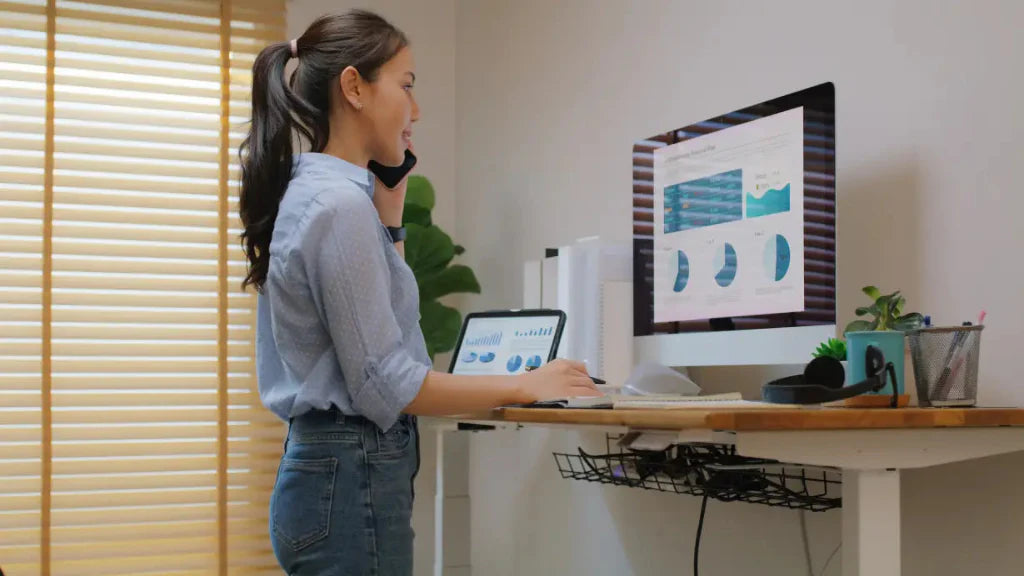
Most people spend hours at their desks, staring at a screen. If your monitor is too low, you tilt your head or hunch forward, which can cause neck pain, poor posture, and discomfort, especially during long workdays.
A monitor stand improves desk ergonomics. It raises the screen to eye level, helping users maintain better posture and creating extra desk space for organisation. A well-designed stand noticeably increases comfort and productivity.
Not every monitor stand delivers results. Height adjustment, stability, VESA compatibility, and cable management matter for a healthier setup. Know what to look for so you pick a stand that improves workspace and comfort.
In this guide, we explore the essential features your monitor stand should have to help you build a more ergonomic and efficient desk setup.
Key Takeaways
- A monitor stand helps elevate your screen to eye level, improving posture and reducing neck and shoulder strain during long work sessions.
- The best monitor stands feature height adjustment, durable construction, and cable management to keep your workspace cleaner.
- Choosing the right monitor stand can improve desk organisation and create a more comfortable workstation.
- Ergonomic monitor positioning supports productivity by reducing fatigue and improving focus.
- Selecting a monitor stand that fits your monitor size, desk layout, and ergonomic needs is essential for building a healthier workspace.
What Is a Monitor Stand and Why Do You Need One?

A monitor stand is a desk accessory that raises your computer monitor to a more comfortable viewing height. Instead of placing the screen directly on the desk, it helps position the monitor closer to eye level for a more ergonomic setup.
You may need a monitor stand because it can help:
- Improve posture by reducing the need to tilt your head downward.
- Reduce neck and shoulder strain during long hours of computer use.
- Support better eye-level alignment for a more comfortable viewing angle.
- Create extra desk space underneath the monitor for keyboards or accessories.
- Keep the workspace organised by reducing clutter on the desk surface.
For anyone who spends long hours at a desk, a monitor stand is a simple upgrade that can improve both comfort and workspace efficiency.
Essential Monitor Stand Features for a Healthier Workstation

Not all monitor stands deliver the same functionality. While many may look similar at first glance, the design and components of a monitor stand can significantly affect ergonomics, stability and workspace organisation.
A well-designed monitor stand is made up of several key parts that work together to support the monitor and improve desk usability. Understanding these components can help you choose a stand that offers the right balance of comfort, durability and flexibility.
Some of the most important monitor stand features include:
- Height Adjustment Mechanism: One of the most important components of an ergonomic monitor stand is its height adjustment mechanism. This feature allows the user to raise or lower the monitor so that the screen aligns with eye level.
Height adjustment can be achieved through different designs such as adjustable legs, modular risers or integrated lift systems. By allowing users to customise monitor height, an adjustable monitor stand helps reduce neck strain and encourages better posture throughout the workday.
- Base Platform or Monitor Deck: The base platform, sometimes called the monitor deck, is the main surface where the monitor sits. A well-designed platform should be wide and strong enough to support the monitor without bending or wobbling.
Some platforms are made from reinforced wood, aluminium or steel, which improves stability and durability. A sturdy platform ensures that the monitor remains secure even when the desk is bumped or when accessories are placed on the stand.
- Structural Frame and Support Columns: The support structure of a monitor stand typically includes columns, legs or a reinforced frame that holds the platform above the desk surface. This structure plays a major role in the stand’s overall stability.
High-quality monitor stands often use metal frames or reinforced joints to distribute weight evenly. A strong support structure prevents wobbling and ensures the monitor remains steady during everyday use.
- Customisable Width or Modular Design: Certain monitor stands feature modular or adjustable designs that allow users to change the width or configuration of the stand. This makes it easier to adapt the stand to different desk sizes or workspace layouts.
A customisable monitor stand can be particularly useful for multi-device workstations, allowing users to position monitors and accessories in a way that suits their workflow.
- Cable Management Channels: Cable management is another important feature in modern monitor stands. Many designs include built-in cable channels, clips or routing systems that guide cables neatly behind the stand.
Keeping cables organised helps reduce desk clutter and prevents wires from tangling around accessories. A clean cable setup also improves the overall appearance of the workstation.
- Space-Saving Storage Area: Another practical feature of many monitor stands is the storage space beneath the platform. This open space can be used to store keyboards, notebooks, tablets or small desk accessories.
By creating additional storage without increasing the desk footprint, a monitor stand helps maximise available workspace and keeps essential items organised.
A monitor stand that combines these features can significantly improve both ergonomics and workspace efficiency. By supporting proper monitor height, reducing clutter and providing stable support for the screen, the right monitor stand helps create a workstation that is comfortable for long hours of use.
How to Set Up a Monitor Stand for Better Ergonomics
 How you set up your monitor stand matters as much as which one you buy. Here’s how to get it right.
Step 1: Place the Monitor Stand in the Right Position
Start by placing the monitor stand at the centre of your desk, directly in front of where you sit. This helps keep your body aligned with the screen and reduces the need to twist your neck or shoulders while working.
Step 2: Adjust the Monitor Height
Position the monitor on the stand so that the top of the screen sits at or slightly below eye level when you are sitting upright. This helps you keep your head straight ahead instead of tilting it downward, which can reduce neck strain over time.
Step 3: Set the Correct Viewing Distance
Place the monitor about an arm’s length away from your eyes. If the screen is too close, it can cause eye strain. If it is too far, you may lean forward without noticing.
Step 4: Centre the Screen with Your Body
Make sure the monitor is directly in front of you, not slightly off to one side. The centre of the screen should line up with your nose to help maintain a neutral posture.
Step 5: Adjust Your Chair Height
Once the monitor height is set, check your chair. Your feet should rest flat on the floor, your knees should be at a comfortable angle, and your lower back should be supported. This ensures your posture works together with the monitor stand setup.
Step 6: Position Your Keyboard and Mouse Properly
Place your keyboard and mouse close enough so your elbows stay near your sides and your wrists remain neutral while typing. This helps reduce tension in the shoulders and arms.
Step 7: Organise the Space Around the Monitor Stand
Use the space beneath or around the monitor stand to store items such as your keyboard, notebook, or small desk accessories. Keeping the desk organised helps reduce clutter and makes the workstation easier to use.
Step 8: Check Lighting and Screen Glare
Make sure your monitor is not facing direct light that causes glare. If needed, adjust the screen angle or add desk lighting to improve visual comfort.
Step 9: Test and Fine-Tune the Setup
Sit in your normal working position and check whether the screen feels comfortable to look at for an extended period. Make small adjustments to the height, distance, or desk layout until the setup feels natural.
Step 10: Reassess Regularly
Your needs may change depending on your chair, desk, or working habits. Recheck your monitor stand setup from time to time to make sure it still supports good posture and comfort.
A well-set-up monitor stand can make a noticeable difference in how your workspace feels. With the right height, distance, and desk layout, it becomes much easier to work comfortably and maintain better posture throughout the day.
How to Choose the Best Monitor Stand for Your Workspace
 Choosing the best monitor stand depends on how you work, your monitor size, and your desk layout. A stand that looks good on paper may not be the right fit if it does not support your screen properly or suit your workspace needs.
When comparing monitor stands, consider the following:
- Monitor size and weight: Make sure the monitor stand can safely support your monitor without wobbling or instability. Heavier or larger screens may require a stronger and more durable stand.
- Height adjustment: For greater ergonomic flexibility, consider a height adjustable monitor stand VESA compatible. This allows you to easily align the screen with your eye level and maintain better posture throughout the day.
- Desk space available: Consider how much room you have on your desk. A compact monitor stand may work better for smaller setups, while a larger stand with storage may suit wider desks.
- Storage and organisation needs: Some monitor stands include space underneath for keyboards, notebooks, or accessories. This can be useful if you want to keep your desk tidy and make better use of available space.
- VESA compatibility: If you need more mounting flexibility, check whether the monitor stand supports VESA mounting. This is especially useful for certain monitor models and ergonomic setups.
- Build quality and stability: A good monitor stand should feel sturdy and secure during daily use. Stable construction helps prevent movement and keeps the monitor safely in place.
- Workspace style and setup: Choose a monitor stand that fits your workflow. Some users may prefer a simple fixed stand, while others may benefit from a more adjustable or customisable design.
By considering these factors, it becomes easier to choose a monitor stand that supports both comfort and workspace efficiency. The best monitor stand is one that fits your monitor, suits your desk, and helps create a healthier workstation.
How Much Does a Monitor Stand Cost in Singapore?
 The cost of a monitor stand in Singapore can vary depending on its design, materials, and ergonomic features. Basic monitor risers are typically more affordable, while premium options with adjustable height, VESA compatibility, and built-in accessories tend to be priced higher.
As a general guide, here are the typical price ranges you may find in Singapore:
-
Basic monitor risers: around S$15 – S$50
These are simple platforms that raise the monitor slightly above the desk surface. They usually have fixed heights and minimal features. -
Adjustable monitor stands: around S$50 – S$120
A high-quality adjustable monitor stand in Singapore allows users to raise or lower the screen to eye level, helping reduce neck strain and improve posture during long hours of computer use. -
VESA compatible monitor stands: around S$120 – S$200+
Some models include a height-adjustable monitor stand with a VESA mounting system that supports standard patterns such as 75 × 75 mm or 100 × 100 mm. These stands provide more flexibility and support a wider range of monitor types. -
Premium ergonomic monitor stands: around S$200 – S$300+
A customisable monitor stand may include advanced ergonomic adjustments, integrated accessories, cable management features, and premium build materials designed for long-term workstation comfort.
Several factors influence the final price of a monitor stand:
- Build quality and materials: Stands made from aluminium, steel, or reinforced wood usually cost more than lightweight plastic models because they provide better durability and stability.
- Ergonomic adjustability: Stands with height adjustment, modular designs, or VESA mounting systems tend to be priced higher due to their added flexibility.
- Workspace features: Some premium monitor stands include built-in storage, cable management, USB hubs, or accessory holders that improve desk organisation.
Prices can vary depending on the brand and features, but investing in a well-designed monitor stand can help improve posture, keep your desk organised, and support long-term workspace comfort.
If you want to explore ergonomic desk solutions and see the exact prices for premium monitor stands, visit Guilds to discover their range of adjustable and customisable monitor stands designed for modern workstations.
Common Mistakes to Avoid When Choosing a Monitor Stand
 Choosing a monitor stand may seem straightforward, but overlooking certain details can lead to poor ergonomics or an inefficient desk setup. Avoiding common mistakes can help ensure the monitor stand actually improves your workspace rather than creating new problems.
Some common mistakes to watch out for include:
- Choosing a stand that is too low: If the monitor stand does not raise the screen high enough, the monitor may still sit below eye level. This can continue to cause neck strain and poor posture during long work sessions.
- Ignoring monitor weight and size: Not all monitor stands are designed to support the same weight. Using a stand that cannot properly support your monitor may lead to instability or wobbling.
- Overlooking desk space limitations: A stand that is too large for the desk can make the workspace feel cramped. It is important to choose a monitor stand that fits comfortably within the available desk area.
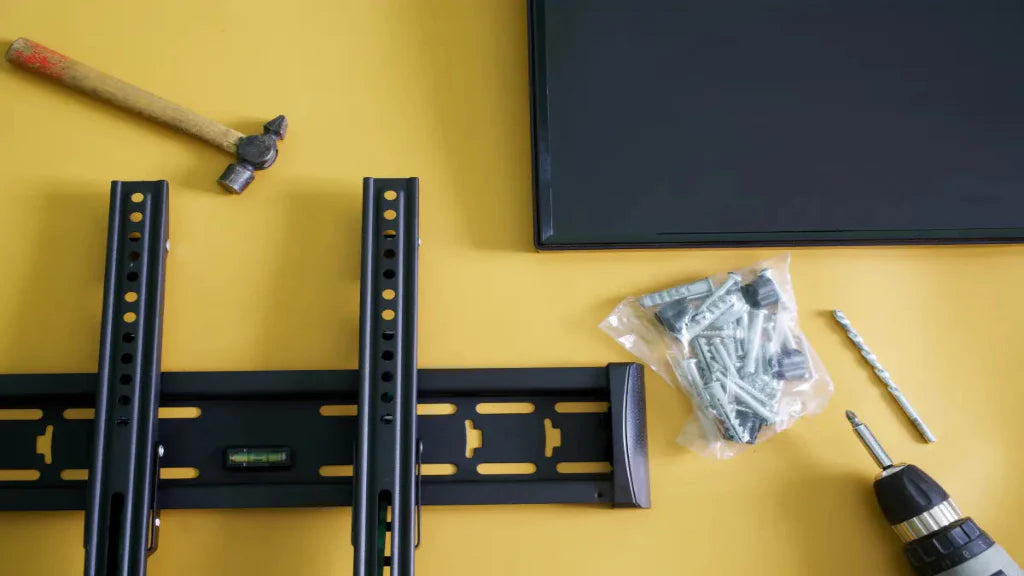
- Not checking VESA compatibility: Some monitors require VESA mounting to attach properly to certain stands. Failing to check compatibility can lead to installation issues later.
- Prioritising appearance over functionality: While design is important, the main purpose of a monitor stand is to support ergonomics and stability. Choosing a stand based only on aesthetics may not provide the best ergonomic benefits.
By avoiding these mistakes, it becomes easier to choose a monitor stand that improves both comfort and workspace organisation. A well-selected stand helps create a workstation that supports better posture, efficiency, and long-term usability.
Build a Better Workstation with the Right Monitor Stand
You don’t need a full desk overhaul to get better ergonomics. Small tweaks, like raising your monitor and organising your desk, can make a big difference in comfort and productivity.
A well-designed monitor stand helps position the screen at a natural viewing height while also creating additional desk space for accessories and workspace essentials. By choosing a monitor stand with the right features, users can maintain better posture, reduce strain during long work sessions, and keep their workspace organised.
If you are looking to upgrade your desk setup, explore the ergonomic workspace solutions available at Guilds. Their thoughtfully designed products, including adjustable monitor stands in Singapore, help users create a cleaner, more comfortable, and more productive workstation. Contact us today!
Frequently Asked Questions
What height should a monitor stand be?
A monitor stand should raise the monitor so that the top of the screen sits at or slightly below eye level when you are sitting upright. This positioning helps reduce neck strain and allows you to maintain a more natural viewing angle during long work sessions.
Is an adjustable monitor stand better for ergonomics?
Yes. An adjustable monitor stand lets you adjust the monitor height to suit your seating position and desk setup. This flexibility helps ensure the screen remains aligned with eye level, supporting better posture and reducing physical strain.
What is VESA compatibility in a monitor stand?
VESA compatibility refers to a standardised mounting system for attaching monitors to stands or mounting plates. Common VESA mounting patterns include 75 × 75 mm and 100 × 100 mm, allowing monitor stands to support a wide range of monitor models.
Can a monitor stand help reduce neck pain?
Yes. A monitor stand raises the screen to a more ergonomic viewing height, helping users avoid looking downward for long periods. Proper screen positioning can reduce strain on the neck, shoulders, and upper back.
Do monitor stands help save desk space?
Many monitor stands create additional space underneath the monitor, which can be used to store keyboards, notebooks, or desk accessories. This helps keep the workspace organised and makes better use of the available desk area.

Leave a comment
This site is protected by hCaptcha and the hCaptcha Privacy Policy and Terms of Service apply.