
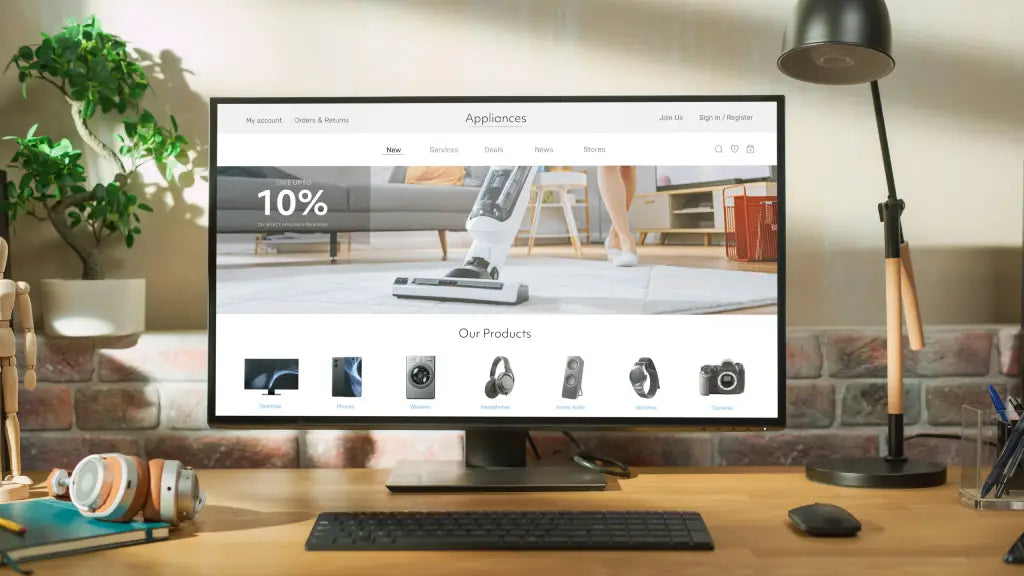
Many people spend six to ten hours a day working in front of a computer, yet few consider how their desk setup affects posture and comfort. Poor workstation ergonomics has become a common issue in modern workplaces, especially as remote and hybrid work continue to grow.
Research shows that neck pain affects the majority of office workers each year, often linked to prolonged computer use and poor screen positioning.
One of the most common causes of discomfort is monitor placement. When screens sit too low or too close, users often tilt their heads downward or lean forward, gradually placing strain on the neck and shoulders.
A desk monitor stand is one of the simplest ways to improve an ergonomic desk setup. By raising the screen to eye level and creating better desk organisation, monitor stands help support a healthier posture while making workspaces more efficient and comfortable.
This guide explains what a monitor stand for desk is, the different types available and how they contribute to an ergonomic workspace. You will also learn how to create an ideal desk setup, which accessories can improve comfort and what common mistakes to avoid when designing a modern workstation.
Key Takeaways
- Desk monitor stands raise screens to eye level, helping reduce neck strain and improve posture during long work sessions.
The right monitor height plays a crucial role in creating an ergonomic desk setup that supports long-term comfort and productivity.
Different types of monitor stands exist, including fixed stands, adjustable risers, monitor arms and desk shelves.
Accessories such as laptop stands, cable management systems and keyboard trays help create a more organised workspace.
Even small adjustments, such as elevating a monitor or improving desk layout, can significantly improve daily work comfort.
What Are Desk Monitor Stands?
A desk monitor stand is an accessory designed to elevate a computer monitor above the desk surface so the screen sits at a comfortable viewing height. Instead of placing a monitor directly on the desk, the stand raises it so the top of the screen aligns closer to eye level.
This adjustment may seem small, but it can have a noticeable impact on posture and comfort. When monitors sit too low, users often tilt their heads downward for long periods. Over time, this position can lead to neck strain, shoulder tension and fatigue.
Monitor stands solve this problem by improving screen positioning while also creating additional space underneath the monitor. Many users store keyboards, notebooks or accessories beneath the stand, making the desk surface more organised and functional.
For professionals who spend several hours each day working on a computer, a desk monitor stand is one of the simplest upgrades that can improve both workspace ergonomics and overall productivity.
The Different Types of Desk Monitor Stands

A desk monitor stand in Singapore comes in several designs. Each type supports different workspace needs depending on desk size, monitor type and flexibility requirements.
Fixed Monitor Stands
Fixed monitor stands are simple platforms that elevate a monitor to a preset height. They are stable, durable and easy to use.
These stands work well for users who already have a comfortable desk height and only need a modest elevation adjustment.
Best for
- single monitor setups
- simple desk layouts
- users who prefer a stable platform
Adjustable Monitor Risers
Adjustable risers allow users to change the monitor height depending on their seating position or desk height.
Some designs feature stackable levels while others include adjustable legs or sliding mechanisms.
Best for
- shared workspaces
- users experimenting with different monitor heights
- people switching between sitting and standing desks
Monitor Arms
Monitor arms attach directly to the desk and hold the monitor through a VESA mount. They allow screens to move vertically, horizontally and sometimes rotate between landscape and portrait modes.
Because they lift the monitor entirely off the desk surface, monitor arms free up the most desk space.
Best for
- multi-monitor setups
- small desks
- users who frequently adjust screen angles
Desk Shelf Monitor Stands
Desk shelves combine monitor elevation with storage functionality. They often include compartments or additional space beneath the stand for keyboards, notebooks and accessories.
These stands are popular in minimalist desk setups because they keep the workspace organised and visually clean.
Best for
- tidy desk aesthetics
- compact workspaces
- users who want both elevation and storage
Why Ergonomics Matter for Modern Workspaces

Ergonomics focuses on designing workspaces that support the body’s natural posture and movement. As more people work on computers for extended periods, ergonomic desk setups have become increasingly important.
A poorly positioned monitor is one of the most common causes of desk-related discomfort. When screens sit too low or too close, users often lean forward or tilt their heads downward. Over time, this posture places unnecessary strain on the neck and upper back.
An ergonomic workspace helps prevent these issues by positioning monitors, keyboards and chairs in alignment with natural body posture.
Benefits of ergonomic desk setups include:
- reduced neck and shoulder strain
- improved posture
- lower risk of repetitive strain injuries
- better focus and productivity
For people who spend long hours at their desks, even small ergonomic adjustments can make a noticeable difference in daily comfort.
The Ideal Ergonomic Monitor Stand And Desk Setup Layout

Creating an ergonomic workspace involves more than just raising the monitor. The entire desk layout should support a comfortable and natural posture.
Monitor Position
The top edge of the monitor should sit roughly at eye level when sitting upright.
The screen should also be positioned about an arm’s length away, typically between 50 and 70 centimetres from the eyes. This distance helps reduce eye strain while maintaining clear visibility.
Keyboard and Mouse Placement
Keyboards and mice should be placed close enough to the body so that elbows remain near the sides.
A comfortable typing posture usually keeps elbows bent at approximately ninety degrees while wrists remain straight rather than bent upward.
Chair Alignment
The chair should support the natural curve of the spine. Ideally:
- feet rest flat on the floor
- knees sit slightly lower than the hips
- The lower back remains supported
When these elements work together, users can maintain a neutral posture that reduces strain during long work sessions.
Essential Accessories to Pair with a Desk Monitor Stand

While a desk monitor stand plays a central role in an ergonomic workspace, the right accessories can make the setup even more comfortable and organised. These additions help improve posture, reduce clutter and make the most of the space created by a monitor stand.
- Laptop Stand: Laptop users often experience neck strain because laptop screens sit too low. A laptop stand can work well alongside a desk monitor stand in dual-screen setups, especially when paired with an external keyboard and mouse.
- Cable Management Systems: Cable trays, clips and organisers help keep wires tidy and prevent them from cluttering the desk surface. This works especially well with a desk monitor stand, helping the workspace look cleaner and more organised.
- Keyboard Tray: A keyboard tray can improve typing posture by keeping the keyboard at a more comfortable height. This is useful when a desk monitor stand raises the screen correctly, but the desk itself still feels too high for long typing sessions.
- Desk Lighting: Proper lighting helps reduce eye strain and improve visual comfort during extended work sessions. Combined with a desk monitor stand, good lighting supports a workspace that feels both functional and comfortable.
A desk monitor stand works best when it is part of a well-planned setup. By pairing it with practical accessories such as cable organisers, keyboard trays and proper lighting, it becomes easier to create a workspace that supports comfort, focus and everyday efficiency.
Minimalist Desk Monitor Stand Setup Ideas for Modern Workspaces
Minimalist desk setups focus on simplicity, organisation and efficiency, making a desk monitor stand a practical addition to modern workspaces, instead of filling the desk with unnecessary accessories. A monitor stand can help elevate the screen to a more comfortable height, while keeping the setup clean and functional.
Cable management also plays an important role. Concealed wires and organised cables help maintain a clutter-free workspace.
Neutral colour palettes, streamlined accessories and thoughtful desk layouts contribute to a workspace that feels calm and focused. For many professionals, minimalist desk setups improve both productivity and visual comfort.
Who Should Use a Desk Monitor Stand
 A desk monitor stand is useful for anyone who spends long hours working in front of a screen and wants a more comfortable, organised workspace. Raising the monitor to a better viewing height can help reduce neck strain and improve overall desk ergonomics.
Remote workers often rely on home desk setups that were not originally designed for full workdays. A desk monitor stand can make these workstations more comfortable by improving monitor height and freeing up useful desk space.
Office professionals who spend most of the day at a desk can benefit from a monitor stand that supports better posture and a cleaner desk layout. Small ergonomic improvements like this can make long hours at a computer more manageable.
Creative professionals such as designers, developers and video editors often spend extended periods looking at screens. A desk monitor stand can help keep the monitor at a more comfortable level while making the workspace feel more organised.
Students, gamers and everyday computer users can also benefit from using a desk monitor stand. Whether the goal is better posture, extra storage space or a tidier setup, a monitor stand can be a practical upgrade for many types of workspaces.
Common Desk Monitor Stand Setup Mistakes to Avoid
 Even a good desk monitor stand can fall short if it is used incorrectly. Small setup mistakes can reduce comfort, affect posture and limit the benefits of having the monitor raised properly.
- Choosing a Stand That Is Too Low: A desk monitor stand should bring the screen closer to eye level. If the stand is still too low, users may continue tilting their heads downward, which can lead to neck strain over time.
- Not Checking Monitor Size or Weight Support: Not all desk monitor stands are designed for the same monitor sizes or weights. Using a stand that is too small or not sturdy enough can affect stability and safety.
- Ignoring Viewing Distance: Raising the monitor is only part of the setup. If the screen is too close or too far away, it can still cause eye strain and poor posture.
- Overcrowding the Space Under the Stand: Many people use the area under a desk monitor stand for storage, but overloading it with items can create visual clutter and reduce the clean, organised feel the stand is meant to provide.
- Forgetting the Rest of the Desk Setup: A desk monitor stand works best when paired with proper chair height, keyboard placement and lighting. Focusing only on the screen height without adjusting the rest of the setup can limit ergonomic benefits.
Avoiding these common mistakes can help you get the most out of a desk monitor stand. With the right height, proper placement and a well-organised desk layout, a monitor stand can make your workspace more comfortable, efficient and easier to use every day.
Upgrade Your Workspace with the Right Desk Monitor Stand
A comfortable and well-organised workspace plays an important role in maintaining both productivity and long-term well-being. Simple adjustments such as improving monitor height, organising accessories and refining desk layout can significantly reduce strain during long hours of computer use.
A desk monitor stand is one of the easiest ways to upgrade your workspace without replacing your entire desk.
By elevating the screen to a more natural viewing height and creating additional usable space, it can help improve posture while keeping your desk clean, efficient and easier to work from every day.
If you are looking to improve your desk setup, explore the ergonomic workspace solutions available at Guilds.
Their thoughtfully designed adjustable monitor stands and workspace accessories help create a desk environment that supports comfort, organisation and productivity. Contact us today!
Frequently Asked Questions
Are desk monitor stands worth it?
Yes. Monitor stands help position screens at a comfortable height, reducing neck strain and improving posture during long work sessions.
What height should a desk monitor stand be?
A monitor stand should raise the screen so that the top edge of the monitor is roughly aligned with eye level when sitting upright.
How far should a monitor be from your eyes?
Most ergonomic guidelines recommend placing the monitor about an arm’s length away, typically between 50 and 70 centimetres.
Is a monitor stand or a monitor arm better?
Monitor stands provide stable elevation and storage space, while monitor arms offer greater flexibility and adjustability. The best option depends on desk size and user preference.
Do monitor stands help reduce neck pain?
Yes. Raising the monitor to eye level helps prevent users from tilting their heads downward, which reduces strain on the neck and upper back.
Features Your Monitor Stand Should Have for an Ergonomic Workstation
7 Signs You Need to Upgrade to a VESA Monitor Arm for Your Desk